Rendering a dataset project

I noticed a while ago that Carto’s careers page has a number of coding tests, that I presume they use/have used as part of their recruiting process. A bunch of these seemed interesting and like good projects to give a go for some learning and fun.

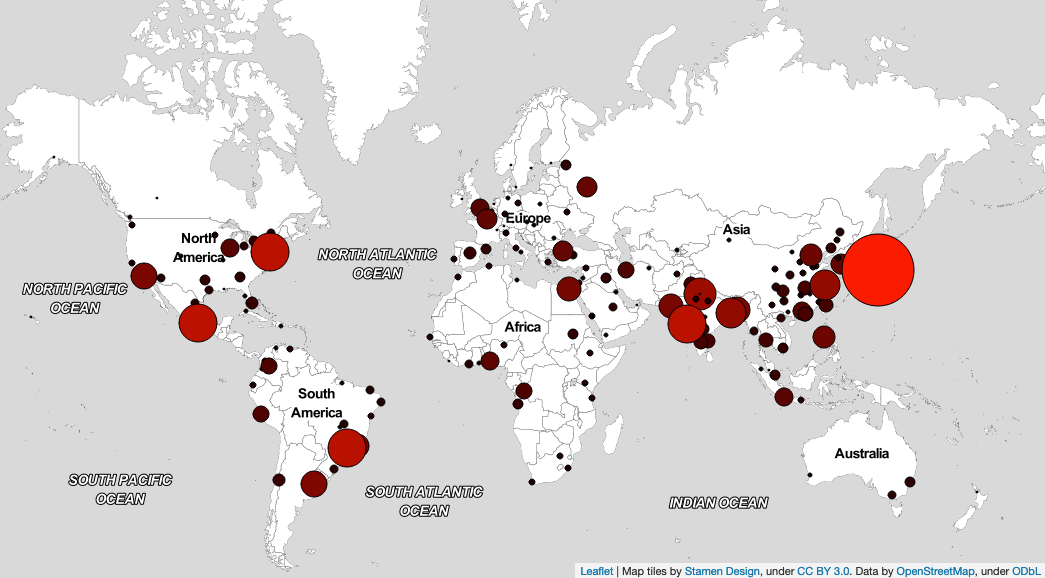
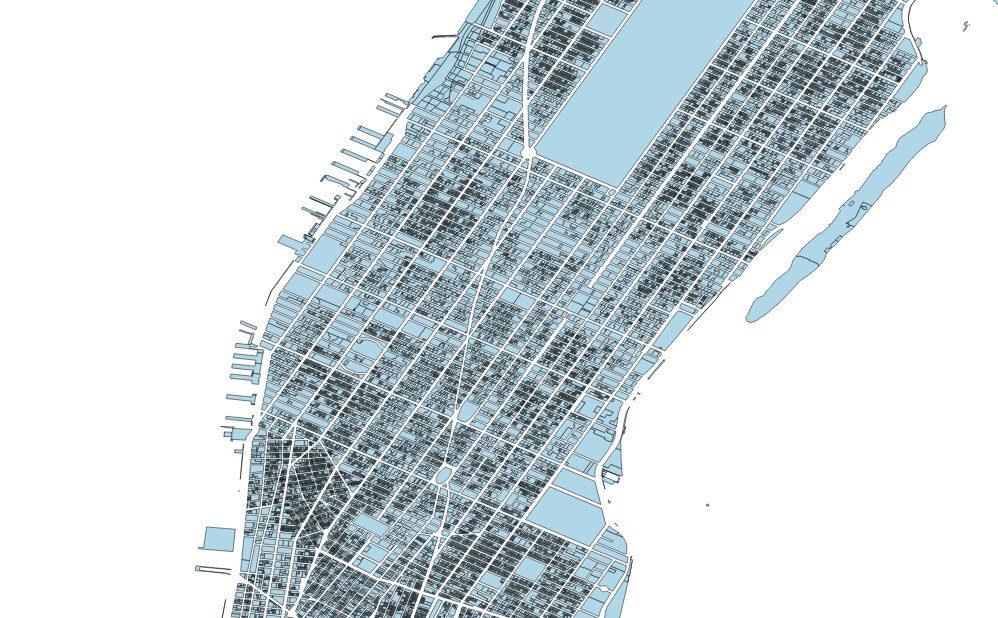
One of the first ones I had a crack at was rendering a dataset in the browser.

The basic idea is:

  • Get the data from Carto using their SQL API
  • Then render the data in a web browser BUT without using a mapping/rendering library. So Leaflet, Google Maps, d3, three.js are out. But Canvas, SVG, WebGL are allowed.

You can check out what I came up with at https://colinrossiv.github.io/renderdataset (it’s a big dataset, so depending on your connection the initial load might take a bit).

From the bonus functionality, I implemented zoom, but didn’t get around to panning.

Adding in panning functionality, and working to improve the initial load times are two things I would like to work on more if I revisit this project in future.

I plan to add some more to this post about some of the choices and decisions I made in my code, but I was keen to get this post up so I can share it first.

Google Maps scale bar

Recently when using the globe feature of Google Maps, I noticed something that seemed wrong to me.

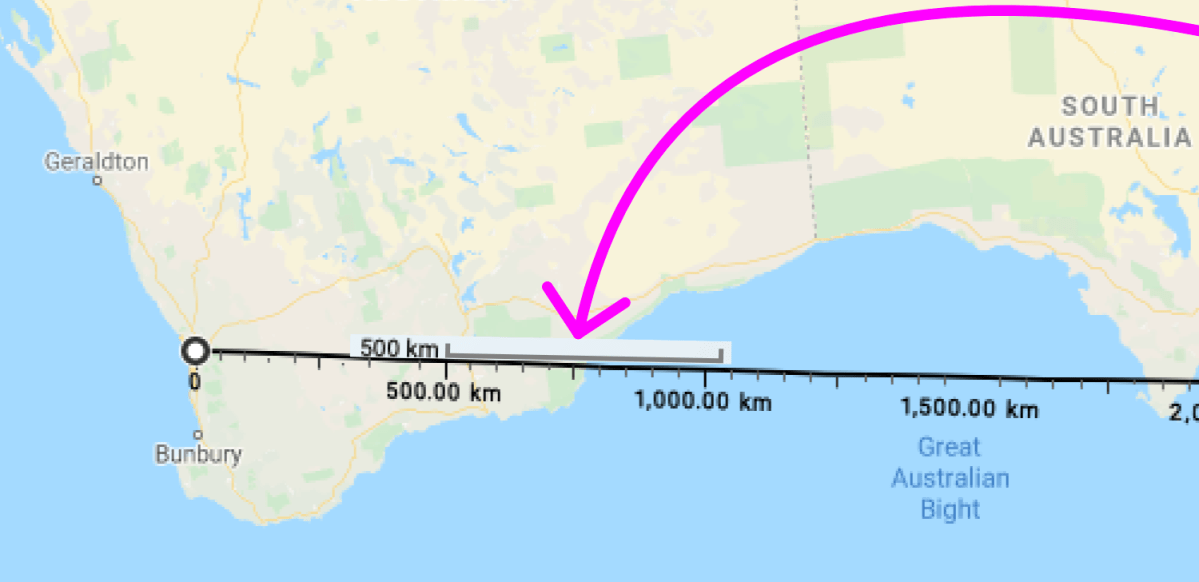
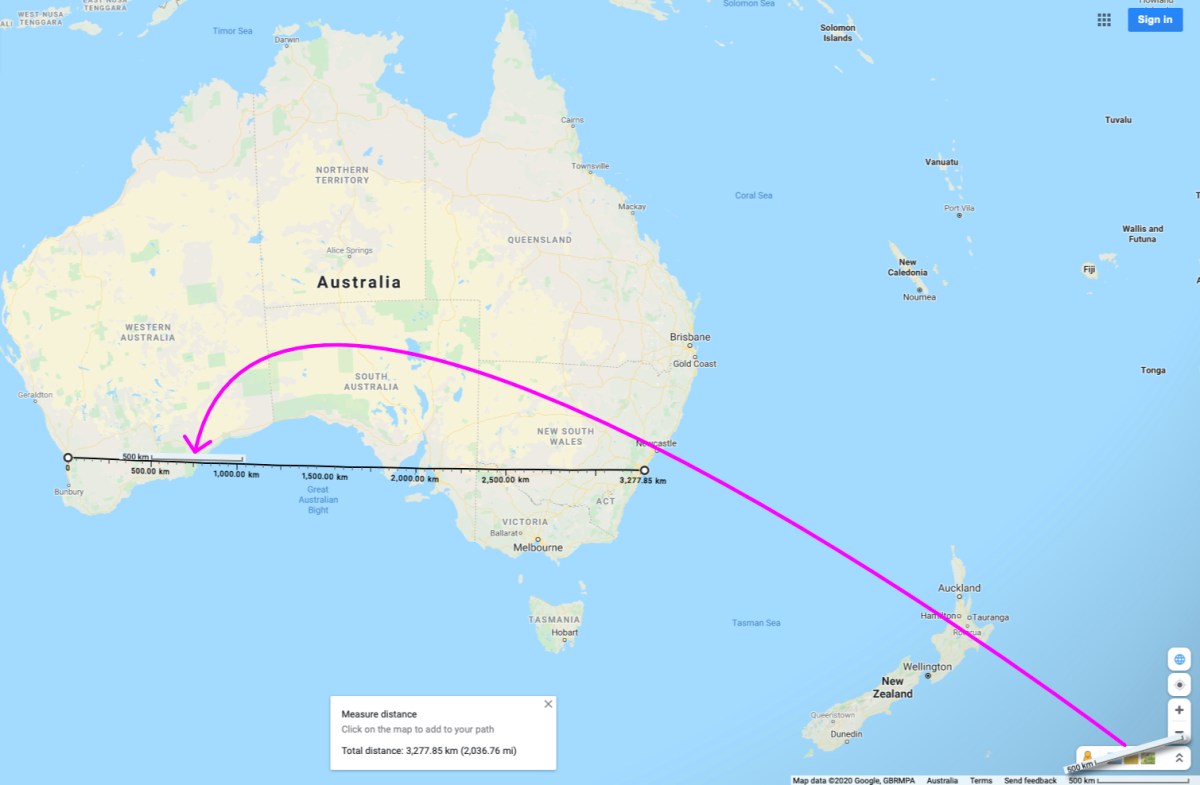
In globe mode, the map window displays a 2D Scale bar. As far as I can work out, a 2D scale bar on a 3D globe is never going to give an accurate measurement of distances between two points. Ironically Google Maps has an accurate measure tool built in to it that helps make it easy to demonstrate this.

aus1

aus2

Seems like a pretty small, but clear error.

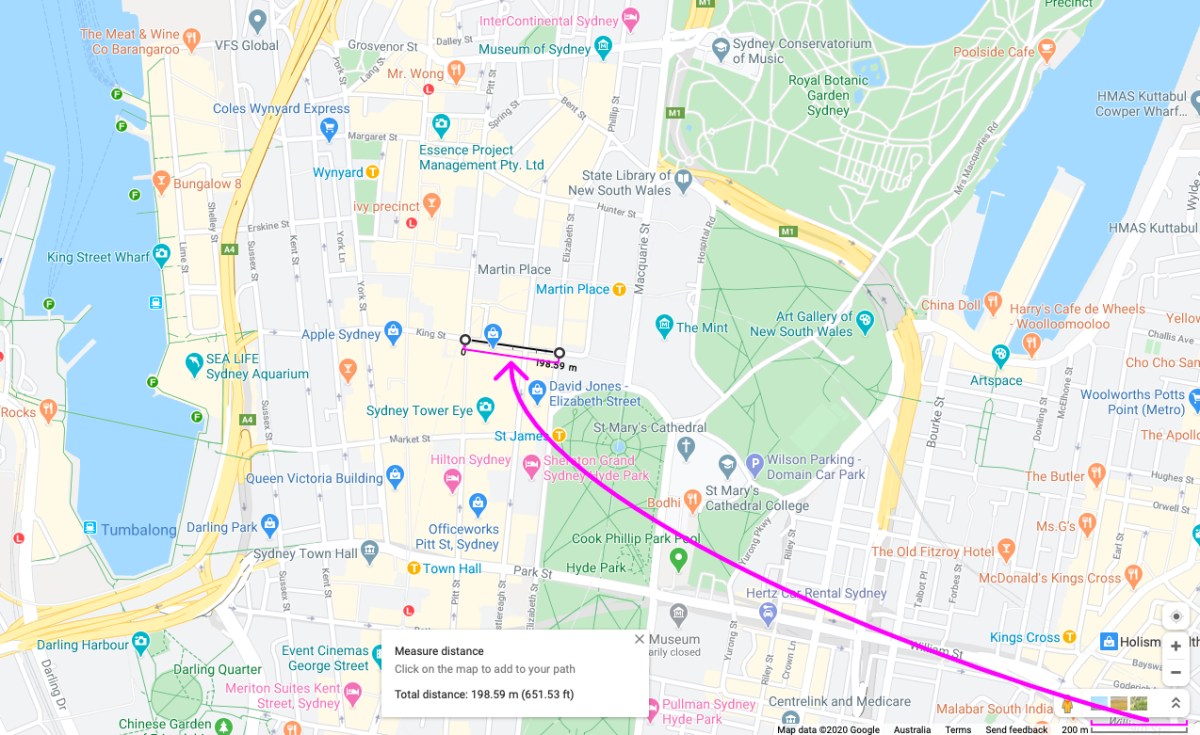
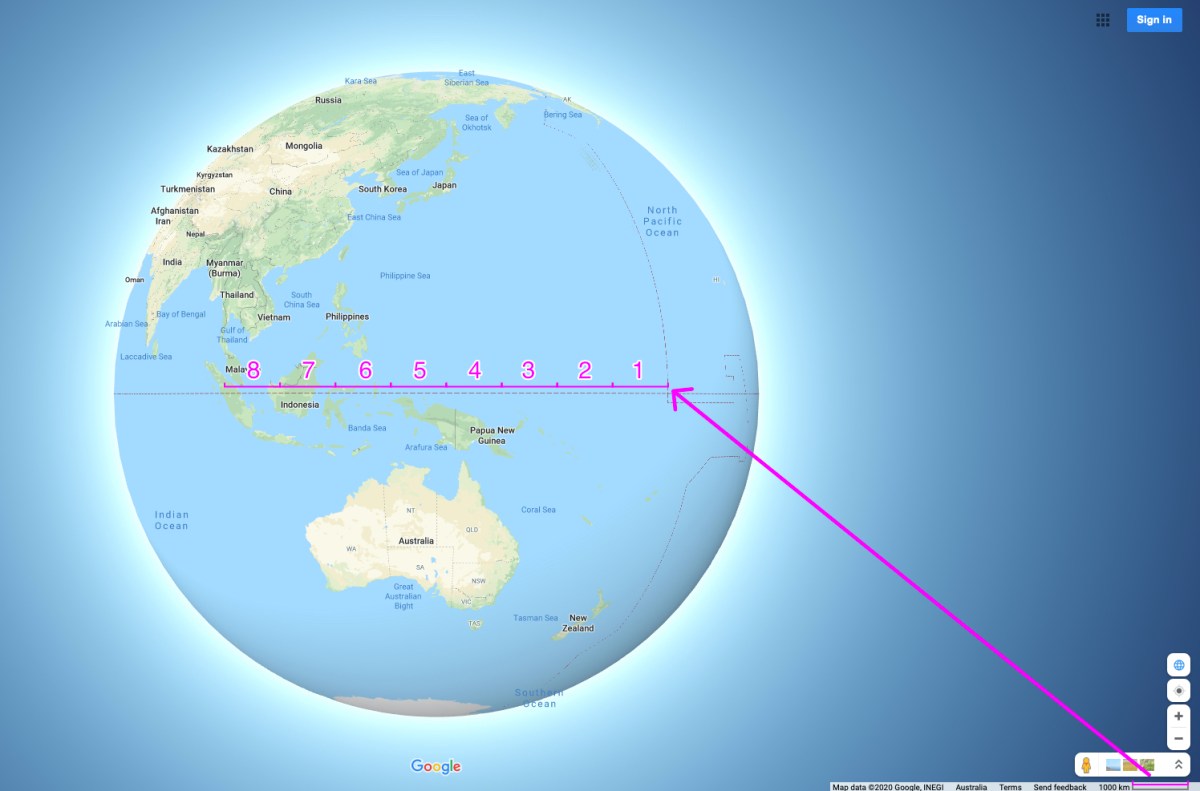
The problem is more pronounced the further you zoom out. Comparing two examples at very different zoom levels helps demonstrate this more clearly.

King Street between Pitt and Elizabeth Streets in Sydney, Australia is pretty close to 200m as the scale bar suggests.

syd2

Singapore to the 180 meridian is about 8464km.

singapore1

But if we were to try measure that using the scale bar, we get closer to  7750km.

singapore2

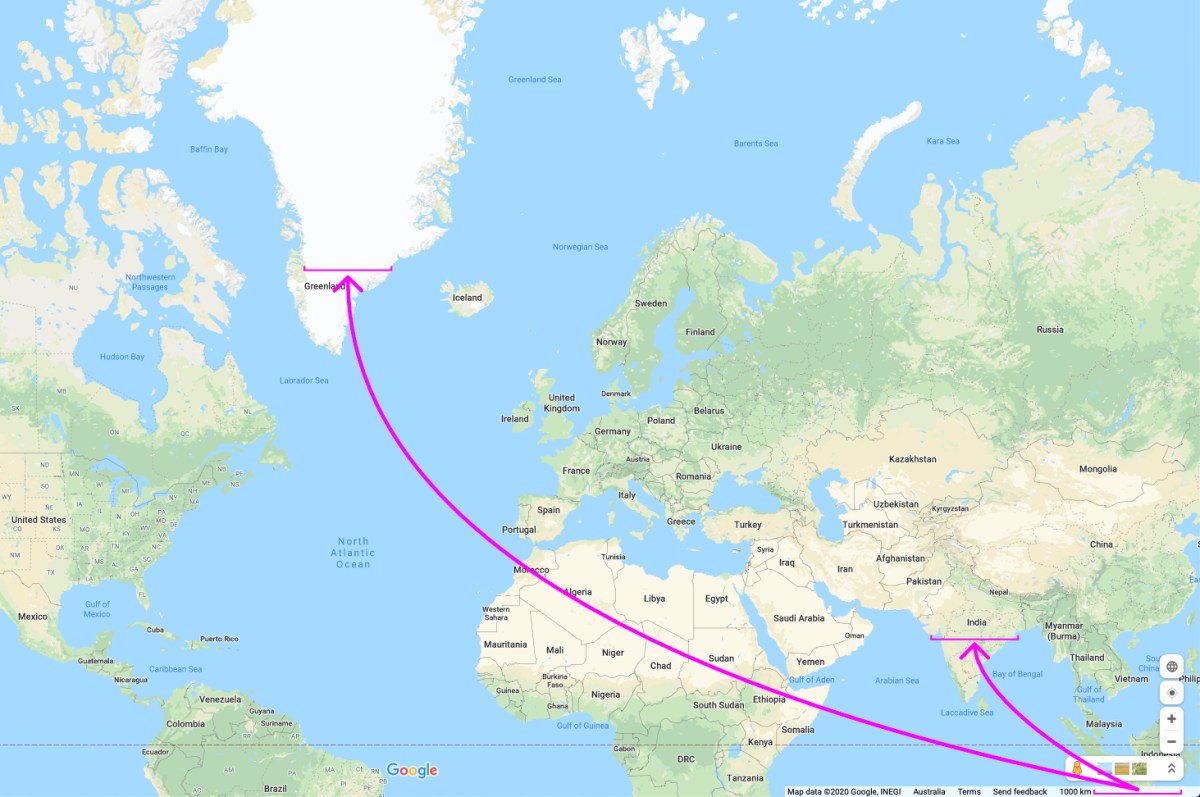
Thinking about this a little more, I realised the way Google Maps uses a scale bar in its 2D version has problems too.

greenIndia

The distance between those two points in India is actually approximately 1,900km. The distance between those two points in Greenland is actually approximately 700km. So on the 2D map as well, the scale bar isn’t giving accurate absolute or relative distance measurements across the whole map.

I don’t imagine many (anyone?) would actually try use the scale bar to make measurements and that pointing this out might be an exercise in pedantry. But if it can’t give a correct measurement, and no one is going to use it, for me it just reinforces the question: why not just remove it?

Map styling app project

As mentioned in one of my other posts Carto’s careers page has a number of coding tests, and I have been working through a few of them.

Recently I have had a go at create a small application for stying data.

The most important rules were:

  • For the application itself, you CAN’T use any JS framework. Use vanilla JavaScript.
  • For rendering the map you CAN use any map library out there (Leaflet, D3, Google Maps,…)

My solution is built using vanilla JavaScript and Leaflet and you can check it out at: https://colinrossiv.github.io/stylingapp.

I kept the controls relatively simple and few, I think it demonstrates the principles, and these could be applied to any number of the feature appearance attributes.

For fun I took on one of the bonus points suggestions and made an implementation of a kind of chloropleth map.

I plan to add some more to this post about some of the choices and decisions I made in my code, but I was keen to get this post up so I can share it first.